MemcardRex on macOS and Linux: Complete Guide
MemcardRex started on Windows, but the developer later released a macOS version and a Linux beta. On a Mac you download a separate build, while on Linux you compile it with .NET 8. This guide covers both, including serial access for card readers and the limits you should know about before relying on either one.
 MemcardRex.com Editorial TeamIndependent MemcardRex guides
Updated Published 3 min read
MemcardRex.com Editorial TeamIndependent MemcardRex guides
Updated Published 3 min read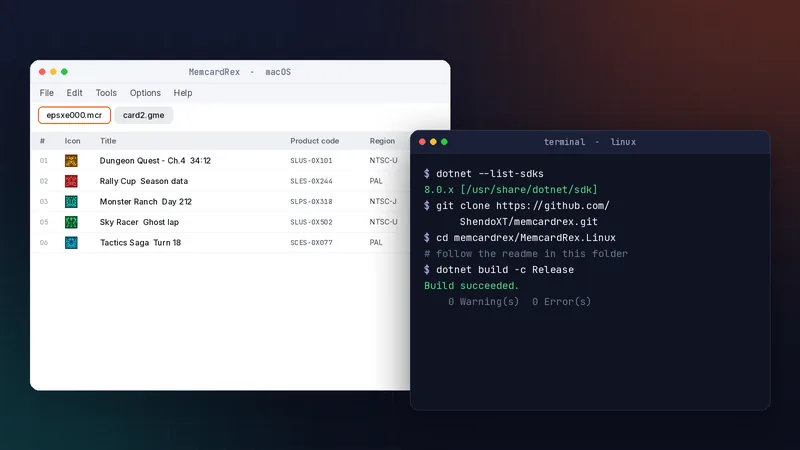
Platform overview
What is available
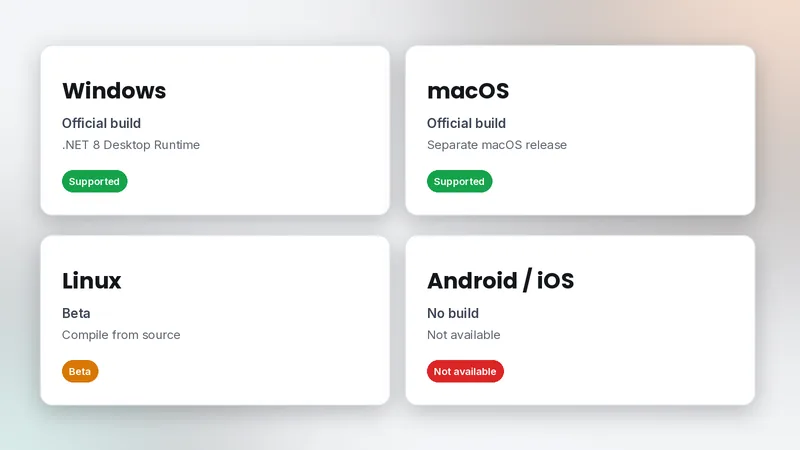
Windows and macOS have official builds. Linux is in beta and is built from source. There is no Android or iOS version.
Shared card files
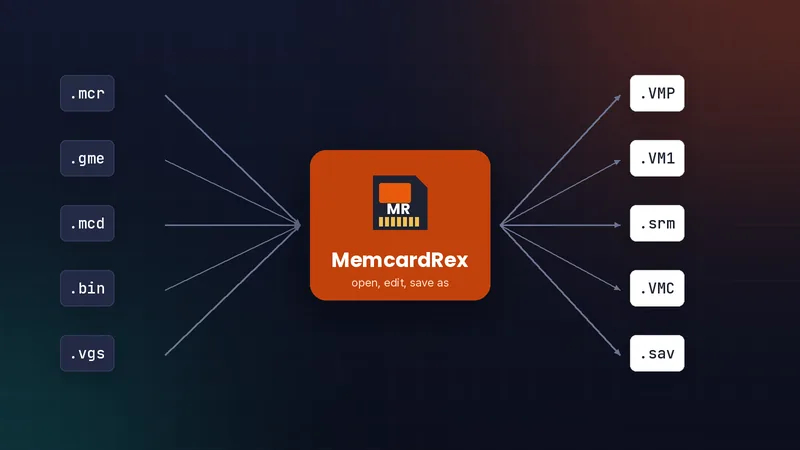
Card files are the same on every system, so a .mcr made on Linux opens on Windows and in any emulator. That makes it easy to mix systems: you can read a physical card on a Linux machine and edit the result on a Windows PC, or the other way round.
Install on macOS
Download and open
Download the macOS release, move the app to Applications, then right-click it and choose Open the first time so Gatekeeper allows it.
Card readers on Mac
USB-serial readers such as an Arduino with MemCARDuino need a driver that supports macOS. The PS3 adaptor's WinUSB guide applies to Windows only. If a reader does not appear on macOS, check System Information under USB to confirm the Mac sees the device at all before troubleshooting MemcardRex.
Build on Linux
Install the .NET 8 SDK
Install the .NET 8 SDK from your distribution's packages or Microsoft. Check it with dotnet --list-sdks. The SDK is larger than the runtime because it includes the build tools, so expect a bigger download. Distribution packages are usually the easiest way to keep it updated.
Clone and build
$ git clone https://github.com/ShendoXT/memcardrex.git
$ cd memcardrex/MemcardRex.Linux
# follow the readme in this folder to build and run
The readme in the MemcardRex.Linux folder is the authoritative guide. Very old releases used Mono instead, but current versions target .NET 8.
Serial access on Linux
The dialout group
Readers appear as serial devices that normal users cannot open. Add yourself to the dialout group:
$ sudo usermod -a -G dialout $USERLog in again
Group changes apply after you log out and back in. Then select the reader in MemcardRex's preferences as described in reading real cards. Serial devices on Linux usually appear as /dev/ttyUSB0 or /dev/ttyACM0, depending on the USB-serial chip in your reader.
Limitations to know
Beta status
The Linux version is beta, and since the project was archived in July 2026 there will be no further fixes. Keep the Windows or macOS build in mind as a fallback. If the Linux build gives you trouble, running the Windows build is another option some people try, but it is not officially supported, so test carefully with backup copies of your cards.
Mobile users
On Android or iOS, prepare cards on a computer and copy them to your emulator. See transferring saves between emulators.
Frequently asked questions
Does MemcardRex run natively on Apple Silicon Macs?
Use the official macOS build. If it does not start on your Mac, check the release notes on GitHub for the architectures it supports.
Do I still need Mono on Linux?
Not for current versions, which target .NET 8. Mono was only used for very old releases.
Can I use MemcardRex on a Steam Deck?
The Steam Deck runs Linux, so the Linux beta is the route, or use the Windows build through compatibility tools at your own risk.
Written and checked by the MemcardRex.com Editorial Team against the latest MemcardRex builds and the project README on GitHub. MemcardRex.com is independent from the MemcardRex developers.