How to Convert PS1 Memory Card Formats with MemcardRex
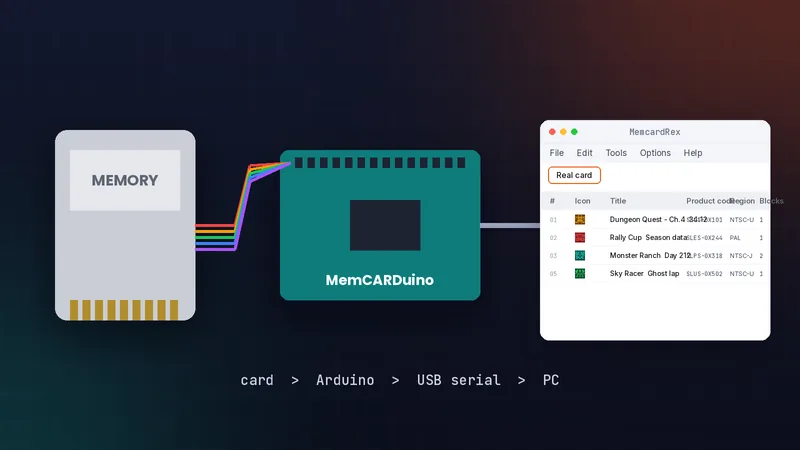
Every emulator and device stores the same 128 KB PS1 memory card in its own file format. MemcardRex reads 16 of them and can save a card in another, which makes conversion a two-click job. This guide explains the formats, how to convert safely, and which format to choose for each emulator, PSP, PS3 and other hardware.
 MemcardRex.com Editorial TeamIndependent MemcardRex guides
Updated Published 3 min read
MemcardRex.com Editorial TeamIndependent MemcardRex guides
Updated Published 3 min read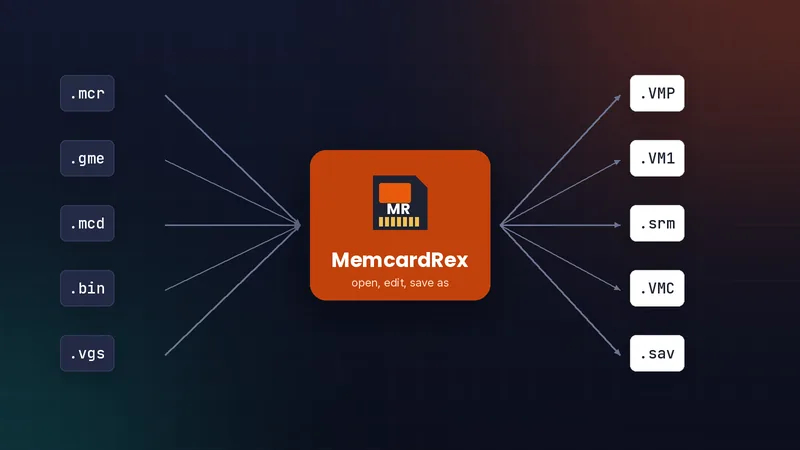
Why there are so many formats
Same data, different wrappers
A PS1 memory card is 128 KB: a directory block plus 15 save blocks of 8 KB. Raw formats such as ePSXe's .mcr store exactly that. Others, such as DexDrive's .gme or PSP's .VMP, add their own header or signature around the same data.
Card files versus single saves
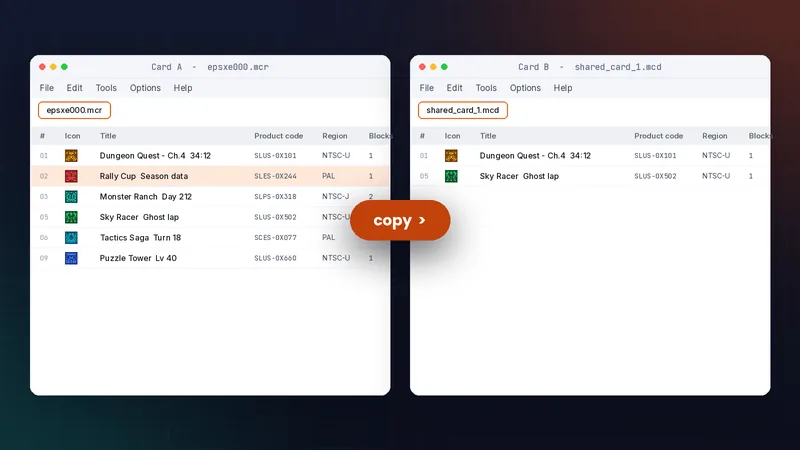
A card format holds the whole card. A single-save format, such as .mcs or .psx, holds one save. Convert a card when you move everything; export a save when you move one game. Knowing which you need saves time: converting a whole card is one Save As, while exporting one save lets you add it to a card that already holds other progress without overwriting anything.
Formats MemcardRex supports
Card formats
| Format | Used by |
|---|---|
| .mcr | ePSXe, PSEmu Pro |
| .gme | DexDrive |
| .bin | pSX, AdriPSX |
| .mcd | Bleem!, also DuckStation's raw cards |
| .mem, .vgs | VGS |
| .mc | PSXGame Edit |
| .ddf, .ps, .psm, .mci | DataDeck, WinPSM, Smart Link, MCExplorer |
| .srm | PCSX ReARMed / RetroArch |
| .VMP / .VM1 | PSP / PS3 virtual cards |
| .BIN, .VMC, .sav | PS Vita PocketStation, POPStarter, MiSTer |
Single save formats
MemcardRex imports and exports .mcs, .psx, .ps1, .mcb, .mcx, .pda, raw saves and PS3 .psv files.
Convert a card step by step
Open and back up
Open the source card with File, then Open, and save a backup copy straight away in its original format.
Save in the new format
Choose Save As, pick the target type in the "Save as type" list, give it a new name and save. MemcardRex writes the same saves in the new wrapper. Nothing about the saves themselves changes: titles, icons, product codes and block usage stay the same. Only the outer file layout is different, which is why a converted card behaves exactly like the original once it is in the right place.
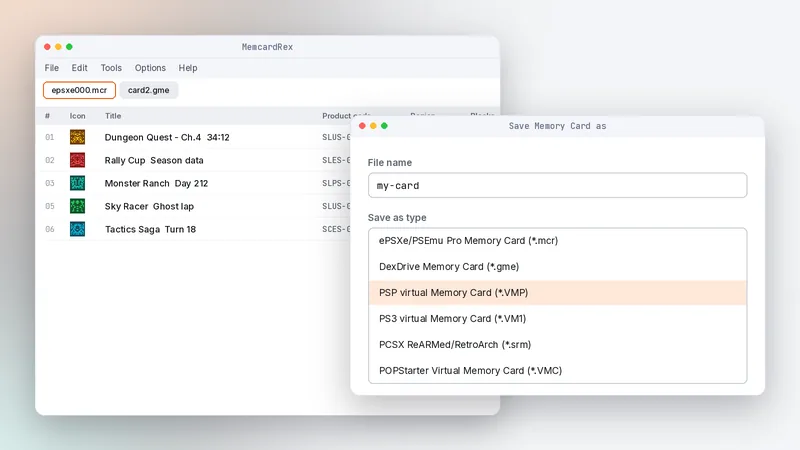
Test before you delete anything
Load the new card in the target emulator or device and check that a save loads in its game. Test more than one save if the card holds several games. Keep the original card file until you have played for a while, because it is your only fallback if something goes wrong with the converted copy.
Choosing the right target format
Emulators
ePSXe uses .mcr. DuckStation's default cards are raw .mcd files, the same layout as .mcr. RetroArch cores such as PCSX ReARMed use .srm. Raw formats are the most portable: if you are unsure what a tool expects, a raw .mcr card is the safest starting point, because most emulators and editors accept it, and you can convert from it again later.
Consoles and devices
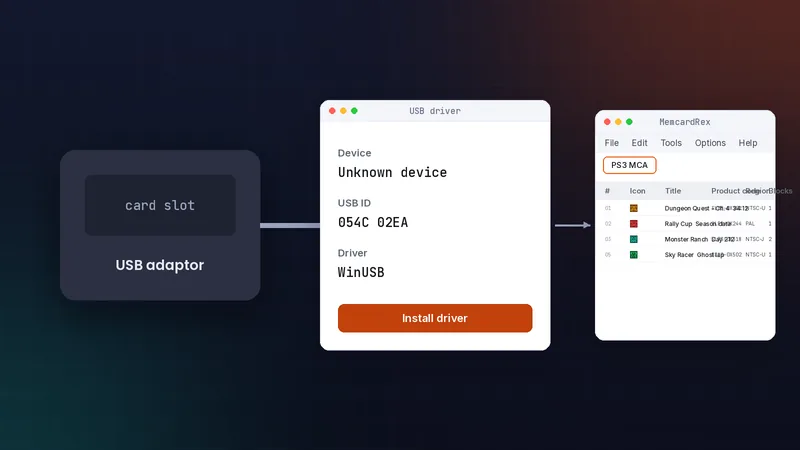
PSP uses .VMP, PS3 uses .VM1, POPStarter on PS2 uses .VMC, and MiSTer's PSX core uses .sav. See MemcardRex on macOS and Linux if you convert on those systems.
Common conversion mistakes
Renaming instead of converting
Changing .gme to .mcr by hand leaves the DexDrive header inside the file, and emulators read garbage. Always use Save As. The same applies in reverse: a raw card renamed to .gme lacks the header DexDrive software expects. MemcardRex detects formats by their contents and extension together, so a correctly converted file opens cleanly wherever it goes.
Wrong file name for the target
Converting is only half the job: many emulators and devices expect a specific file name in a specific folder. Check the destination's naming before copying the card across, as covered in transferring saves between emulators.
Frequently asked questions
Can I just rename a .gme file to .mcr?
No. A .gme file contains a DexDrive header, so renaming it leaves the wrong data at the start. Open it in MemcardRex and use Save As to convert properly.
Does converting change my saves?
No. The saves are the same; only the file wrapper changes. Still keep the original card until you have tested the converted one.
Which format does DuckStation use?
DuckStation stores cards as raw .mcd files by default, the same 128 KB layout as an ePSXe .mcr card.
Written and checked by the MemcardRex.com Editorial Team against the latest MemcardRex builds and the project README on GitHub. MemcardRex.com is independent from the MemcardRex developers.