MemcardRex


Tabbed interface for many cards
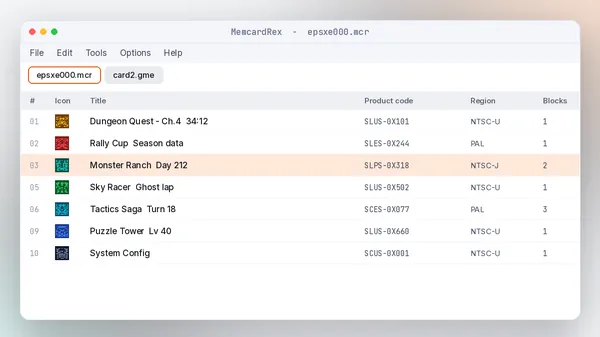
Open several memory cards side by side, each in its own tab, then copy saves between them.
Merge two emulator cards in under a minute.
Open-source PS1 memory card editor since 2007
MemcardRex provides a convenient way to manage PlayStation memory card files and game saves. The utility supports compatible formats and offers useful options for handling saved data, including importing, exporting, editing, and organizing files.
A desktop editor for PlayStation 1 memory cards. It reads the card image an emulator or adapter produces, shows every save with its icon, and lets you move saves between cards and formats.
Start with the user guideShendo released the first version of MemcardRex in 2007 and published the source on GitHub in 2014 so the community could keep improving it. Contributors added PSP and PS3 virtual card support and the PS3 Memory Card Adaptor, and later macOS and Linux versions arrived. In July 2026 the developer archived the repository, which means the code and releases stay online but no further updates are planned.
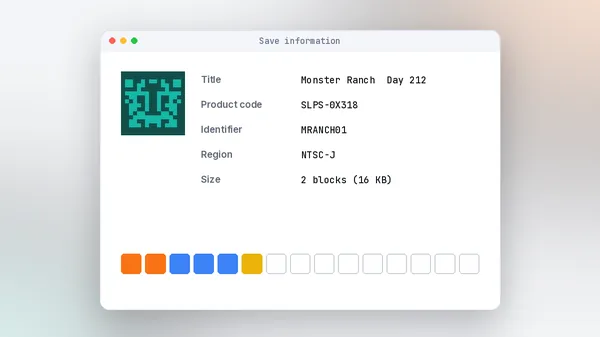
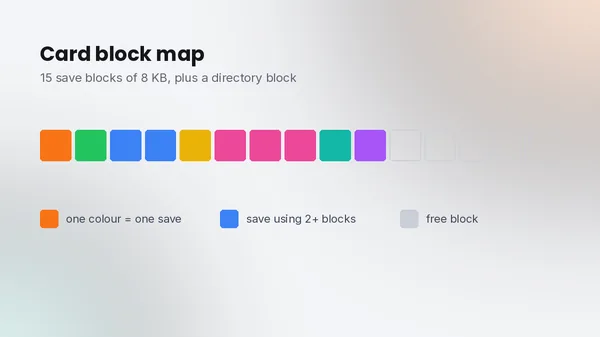
A PS1 memory card holds 128 KB split into 15 save blocks. Emulators, PSP, PS3 and USB readers all store that same data in slightly different file formats. MemcardRex sits between them: open any supported card, then copy saves out, import saves in, or save the whole card in another format.
Retro gamers moving progress between emulators, collectors backing up original cards, PSP and PS3 owners managing virtual cards, and preservationists archiving save data. Developers and modders use its plugin system and export formats when working with save editors.
Older tools each supported only one or two formats, and many stopped working on modern Windows. MemcardRex was written to handle the common formats in one place, with a clear interface and real hardware support so physical cards are not left behind.
For PS1 save management on a PC, MemcardRex is still the most complete free option. The archive status does not change what it can do today: the latest builds run on .NET 8, and the card formats it handles are not going to change. Keep a copy of the release you use, and back up every card before editing.
Nine reasons it remains the go-to PS1 memory card manager, and what each one does for you.
Open several memory cards side by side, each in its own tab, then copy saves between them.
Merge two emulator cards in under a minute.
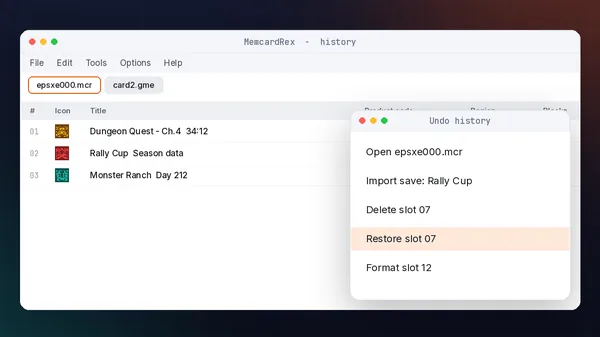
Every change is recorded in a history list you can step back through, not just a single undo.
Experiment without fear of losing a save.
From ePSXe .mcr and DexDrive .gme to PSP .VMP, PS3 .VM1, RetroArch .srm and MiSTer .sav.
One tool for every emulator and device.
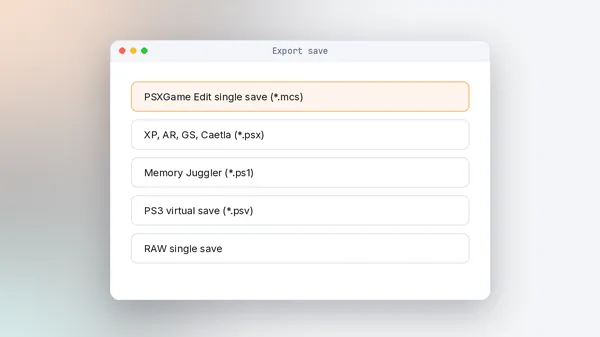
Export a save as .mcs, .psx, .ps1, .mcb, .mcx, .psv or raw, and import them back.
Share one save without the whole card.
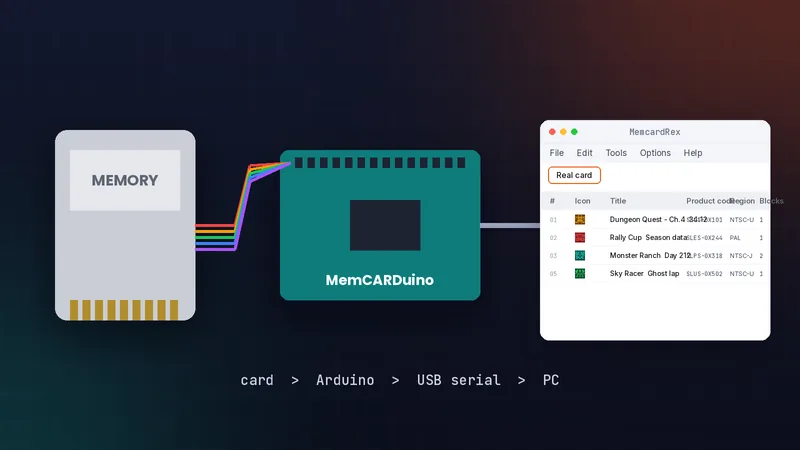
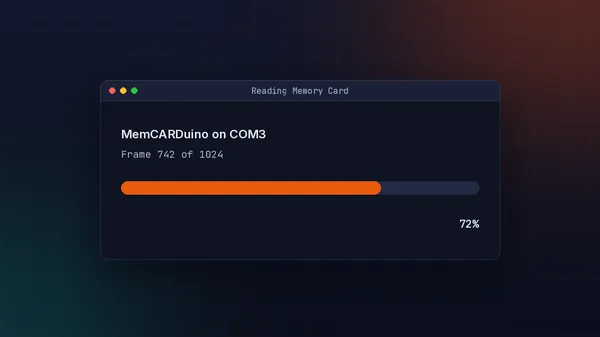
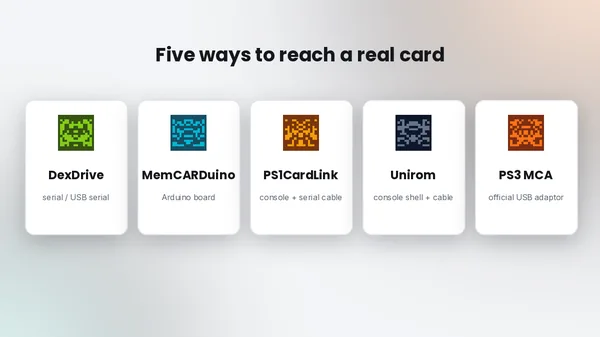
Read and write physical cards through DexDrive, MemCARDuino, PS1CardLink, Unirom or the PS3 adaptor.
Back up original cards before they fail.
Read the PocketStation serial, dump its BIOS and push the PC time to the device.
Keep a PocketStation clock in sync.
Third-party save editors plug in directly, so you can edit game-specific data from the same window.
Extend it without waiting for updates.
Copy, delete, restore deleted saves and format slots or whole cards.
Recover saves deleted by mistake.
Released under GPL-3.0 with public source code on GitHub. No ads, accounts or paid tiers.
Inspect exactly what the program does.
MemcardRex is light. The main requirement is the .NET 8 runtime that current builds are built on.
| Component | Minimum | Recommended |
|---|---|---|
| Operating system | Windows 10 (64-bit) or a macOS version supported by .NET 8 | Windows 11 or a current macOS release |
| Runtime | .NET 8 Desktop Runtime | Latest .NET 8 update from Microsoft |
| CPU | Any 64-bit processor | Any modern dual-core |
| RAM | 2 GB | 4 GB or more |
| GPU | Not required | Not required |
| Storage | A few MB plus the .NET runtime | Extra space for card backups (128 KB each) |
| Internet | Only to download | Not needed to run |
| Hardware (optional) | Free COM or USB port | Powered DexDrive or USB-serial reader |
RAM and CPU figures are practical guidance from this site, not official numbers. The .NET 8 requirement comes from the project README.
MemcardRex is free. Official builds are published on the developer's GitHub page, the only source we link to.
Linux: build from source with the official instructions. We do not host, mirror or modify files, and we do not publish our own scan results or hashes. Scan the archive with your antivirus and compare it with the GitHub release. More on the download page.
Pick your system. Windows takes about five minutes, including the .NET runtime.
Documents\MemcardRex.MemcardRex.exe, and allow it through SmartScreen if asked.Use File, then Open to load a card such as epsxe000.mcr, or start an empty card. For hardware, choose your reader and COM port in Options, then Preferences.
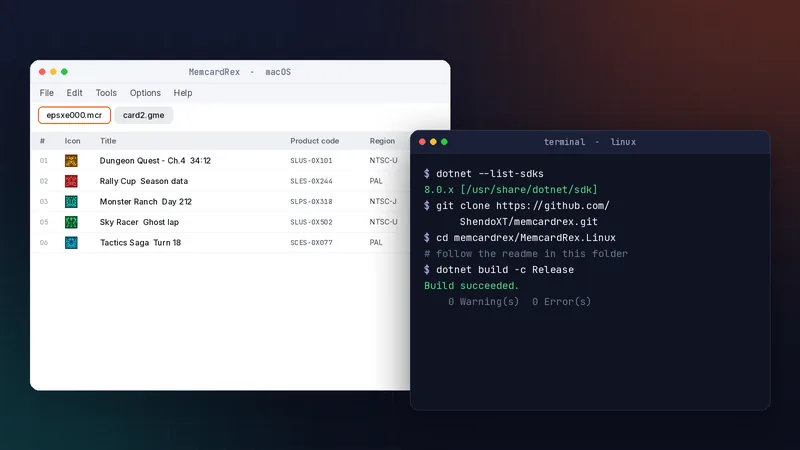
The macOS version is a separate release. If a card reader does not appear, check that its USB-serial driver supports your Mac.
MemcardRex.Linux folder to build and run.To use a DexDrive or MemCARDuino without root, add your user to the dialout group, then log out and back in.
There is no Android or iOS version of MemcardRex. Edit cards on a computer, then copy the card file to your phone.
Most mobile PS1 emulators use raw .mcr/.mcd or .srm cards, which MemcardRex creates on desktop.
The basics first, then the habits that keep your saves safe.
Copy the card file before every editing session. A 128 KB backup costs nothing.
A PAL save will not load in an NTSC-U game. Check the product code before importing.
Each menu shows the shortcut next to its command, including undo and redo.
Every card goes through the same six steps.
File, emulator or real card
Slot, title, region, blocks
Icons and product codes
Copy, import, export, delete
In the format you need
Load it in your emulator
What MemcardRex runs on and what it can talk to.
| Area | Item | Status | Notes |
|---|---|---|---|
| Operating systems | Windows / macOS | Supported | Official builds, need .NET 8 |
| Operating systems | Linux | Beta | Build from source |
| Operating systems | Android, iOS | Not available | Edit on desktop, copy files over |
| Browsers | Any | Not applicable | MemcardRex is a desktop app |
| Emulators | ePSXe, DuckStation, PCSX ReARMed / RetroArch, pSX, Bleem! | Supported | Through their card file formats |
| Devices | PSP, PS3, PS Vita PocketStation, MiSTer, POPStarter | Supported | .VMP, .VM1, .BIN, .sav, .VMC |
| Card readers | DexDrive, MemCARDuino, PS1CardLink, Unirom, PS3 adaptor | Supported | Set in Options, then Preferences |
| Framework | .NET 8 | Required | Desktop Runtime on Windows |
| Integration | Save editor plugins | Plugins | Third-party editors |
A fair view before you download.
Six common use cases, each with a real-world scenario.
Learn how save data and file formats work.
Scenario: A computing student compares .mcr and .gme files to understand card headers.
Move progress between emulators and devices.
Scenario: A player continues an ePSXe save in DuckStation on a new PC.
Test homebrew saves and save editor plugins.
Scenario: A homebrew developer checks that a game writes valid save data.
Retro shops back up and wipe used cards.
Scenario: A store formats traded-in cards after archiving the original saves.
Preserve original save data for archives.
Scenario: An archivist dumps a collection of cards with a MemCARDuino.
Load prepared saves for videos and streams.
Scenario: A YouTuber jumps to the final chapter for a review segment.
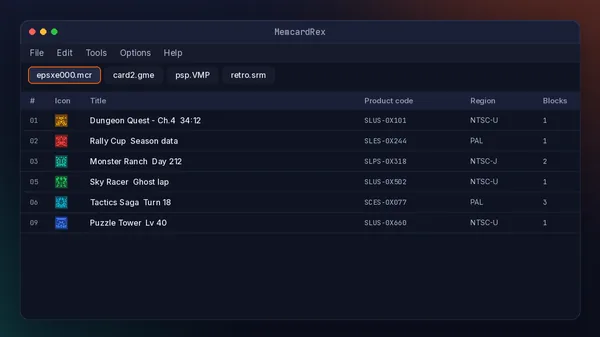
Illustrated views of the main workflows, recreated for this guide. Official screenshots are on the project's GitHub page.
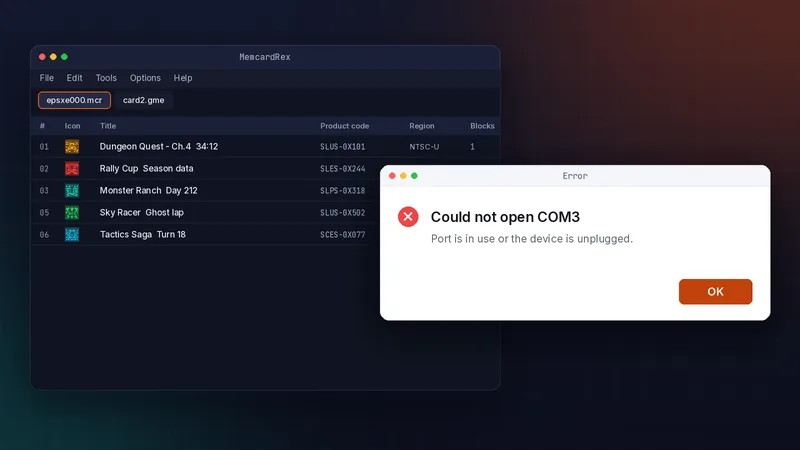
Common errors and fixes. Known issue: the Linux build is still beta, and no fixes are planned now that the project is archived.
The official MemcardRex build from GitHub is open source with a long public history, which makes it one of the more transparent tools in this niche.
Privacy summary: MemcardRex works on local files and connected readers and does not need an account. Permissions: access to the card files you open, plus serial or USB access when you use a reader. Data collection: none that we are aware of; the source code is public if you want to check.
Download only from the developer's GitHub page. Copies on re-upload sites can be outdated or bundled with other software.
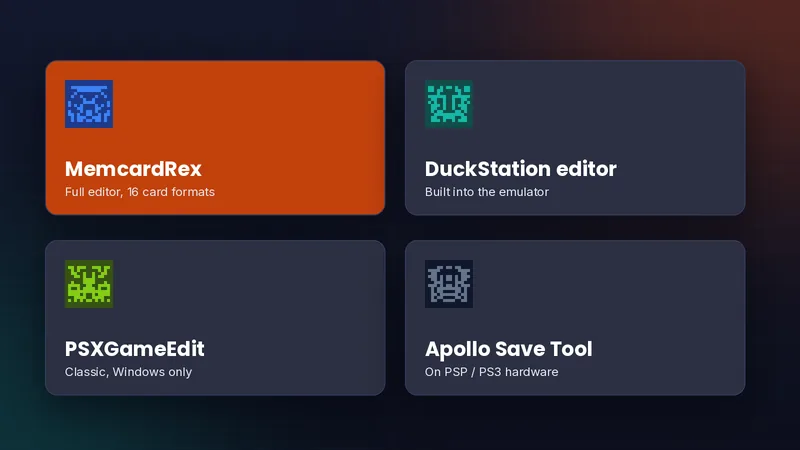
Other tools that manage PS1 saves, and where each fits.
| Software | Price | Licence | OS support | Features | Best for | Pros | Cons |
|---|---|---|---|---|---|---|---|
| MemcardRex | Free | GPL-3.0 | Windows, macOS, Linux beta | 16 card formats, hardware, plugins | Most users | Most complete | Archived |
| DuckStation editor | Free | Source available | Windows, macOS, Linux | Built-in card editor | DuckStation users | No extra install | Tied to DuckStation |
| PSXGameEdit | Free | Freeware | Windows (legacy) | Classic card editing | Older setups | Familiar | Not maintained |
| Apollo Save Tool | Free | GPL-3.0 | PSP, PS3 homebrew | Virtual card saves on device | Console users | No PC needed | Needs homebrew |
No star ratings on purpose: we compare what each tool does instead of inventing scores.
Six typical experiences, based on the workflows our guides cover.
I dumped my old memory cards through a MemCARDuino over a weekend. Every save showed up with its icon, and each card is now archived as a .mcr file.

My ePSXe card had years of saves. I opened it next to a new DuckStation card and copied the ones I wanted across in a few minutes.

Converting a PC card to .VMP for my PSP was the part I dreaded. Save As with the PSP format did it in one step.

I export practice saves as .mcs and import the one I need before a session. The undo history saved me more than once.

Plugin support lets me open game-specific editors from the same window, then check the result in an emulator.

We archive what is on a traded-in card, then format it before resale. A powered DexDrive made reading reliable.

These are illustrative profiles, not verified customer reviews. We do not publish fake ratings or reviews.
Quick answers. The full FAQ covers downloads, installation, security, licensing, updates and alternatives.
Yes. MemcardRex is free and open source under the GPL-3.0 licence. Official builds are on the developer's GitHub page, with no paid versions, ads or accounts.
The official build from github.com/ShendoXT is open source and widely used. Avoid re-upload sites, scan the archive with your antivirus, and install .NET only from Microsoft.
Yes. Install the .NET 8 Desktop Runtime first, then run the Windows build. It also works on 64-bit Windows 10.
It opens 16 card formats including .mcr, .gme, .mcd, .bin, .VMP, .VM1, .srm, .VMC and MiSTer .sav, plus single saves such as .mcs, .psx and .psv.
The repository was archived in July 2026, so no new versions are planned. Existing releases remain available and keep working on .NET 8.
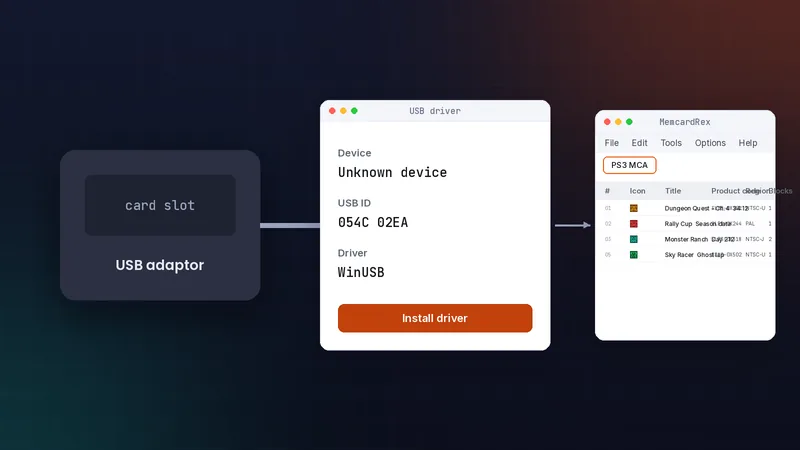
Yes, through a DexDrive, MemCARDuino, PS1CardLink, Unirom, or the official PS3 Memory Card Adaptor with a WinUSB driver.
Step-by-step articles for converting, transferring and backing up PS1 saves.
Run the official macOS build, build the Linux beta with .NET 8, and set up card readers on both.
Fix startup failures, COM port errors, undetected cards, garbled saves and refused imports.
How MemcardRex compares with DuckStation's editor, PSXGameEdit and Apollo Save Tool, and which to choose.
Install a WinUSB driver for Sony's USB adaptor and read PS1 cards on your PC.
Use a DexDrive, MemCARDuino, PS1CardLink or Unirom to back up original memory cards before they fail.
Download the official build, install .NET 8, and open your first card in five minutes.